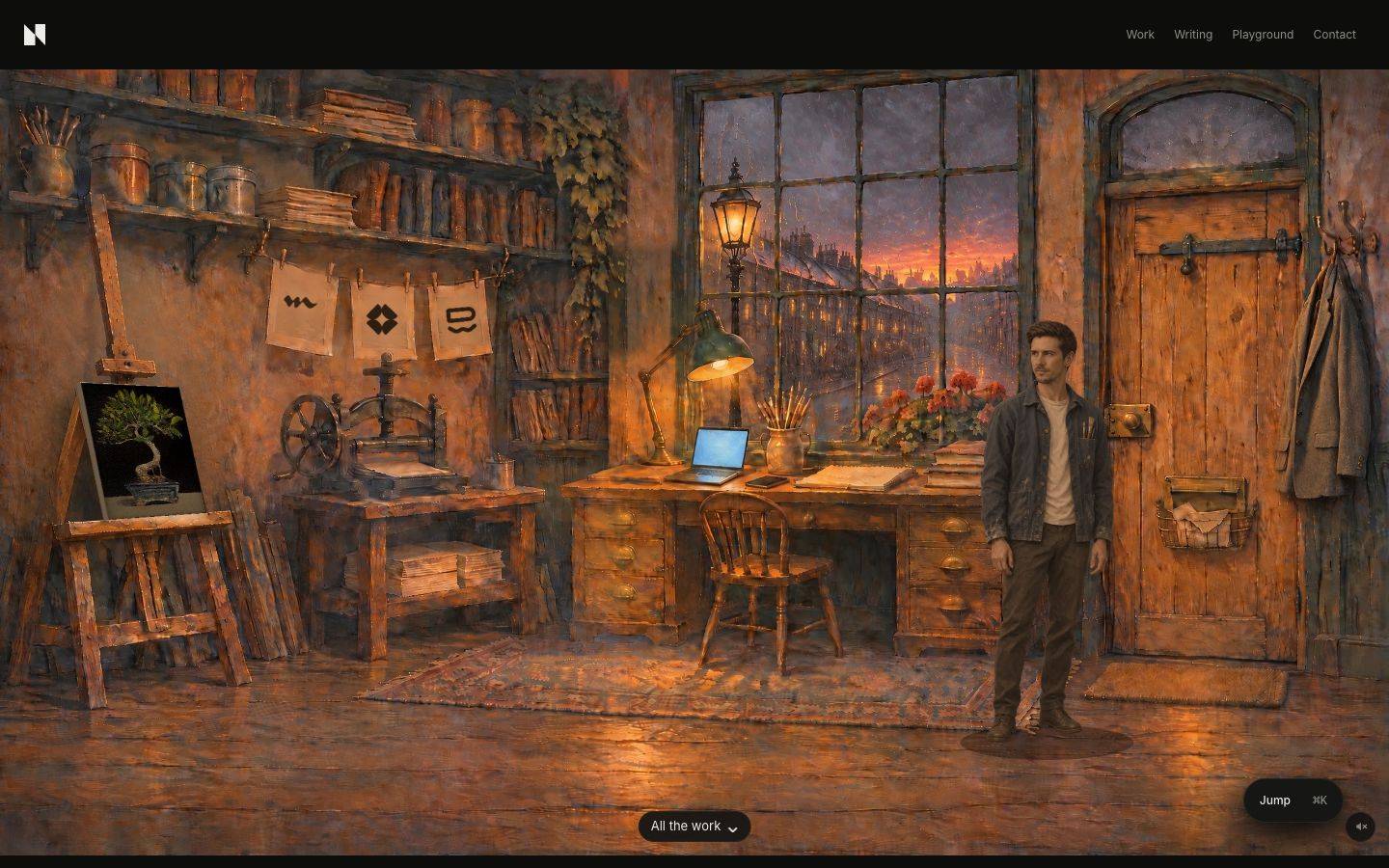
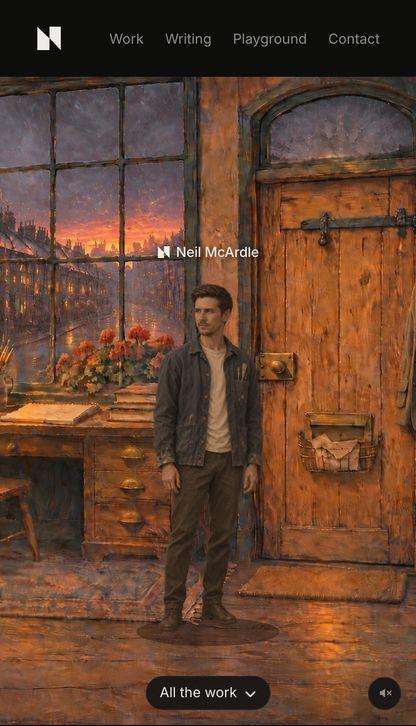
My homepage is my studio, a painted room you play as me. Click an object and I walk over and talk about the work it stands for. This is how its first screen learned to say who I am, told through the prompts I wrote along the way.
- When
- 2026
- Built with
- Claude Code
The problem
I audited my own site as a hiring manager would. On a 1440 by 900 laptop the painting filled the screen and my name started below the fold. The first screen showed a room, a mute button and nothing that said who I am.
Decision 1
I put my name above my own head
My logo and name sit small above the character, the way a game shows the player's name, and fade the first time he walks. On phones, tapping an object outlines it and names it, like a real point-and-click game.
Decision 2
I moved my introduction onto the painting
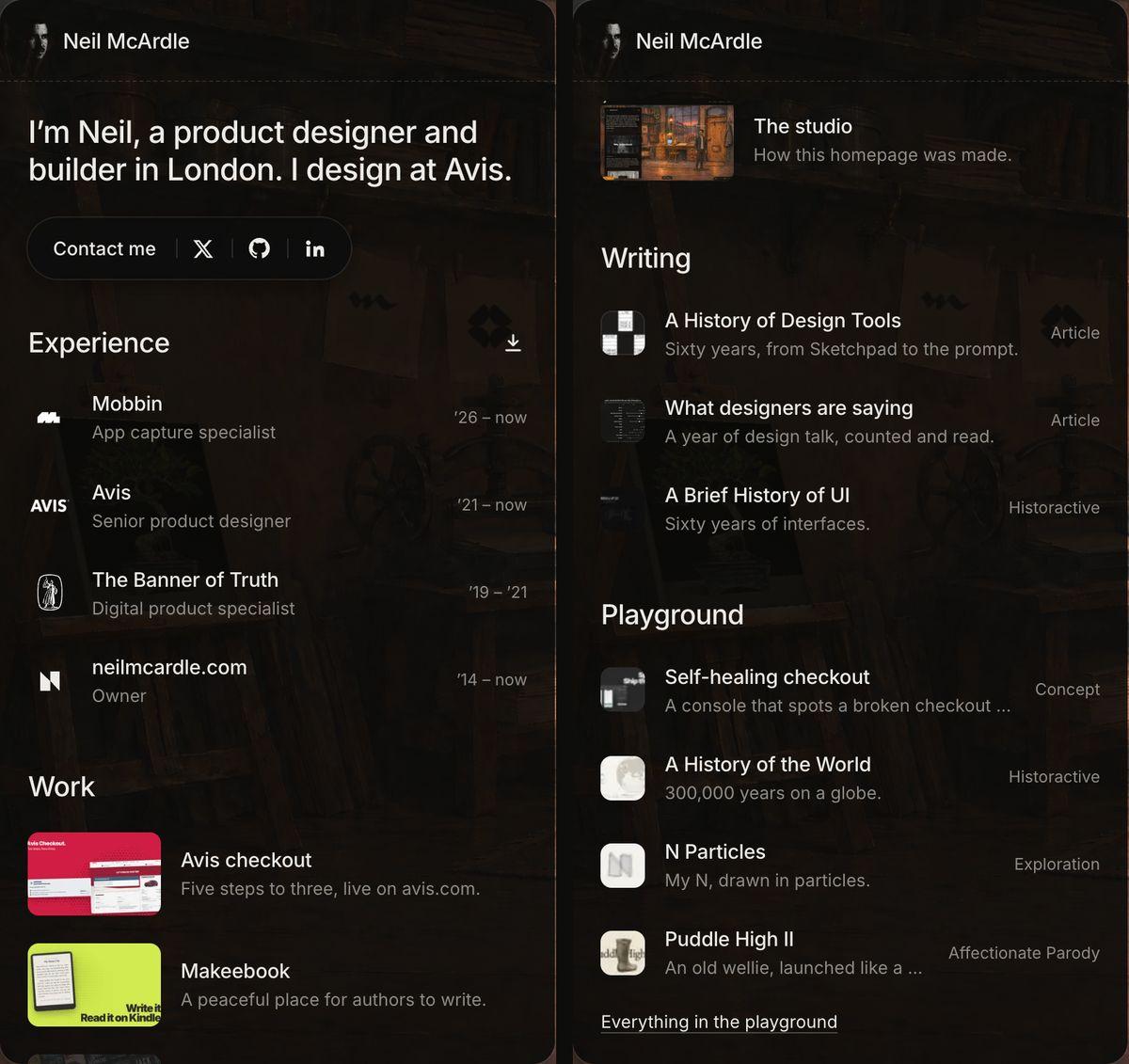
The empty wall on the left became a dark card with my name and a short introduction, on screens wide enough to hold it. It fades as soon as I walk towards it, so it never hides the objects behind it for long.

Decision 3
I made everything findable by pointing
On desktop, hovering an object draws a glowing outline around its real shape with its name above it. The outline is drawn just behind me when I stand in front of it, so it never sits on my jacket.

Decision 4
I built a tool to fix the outlines by hand
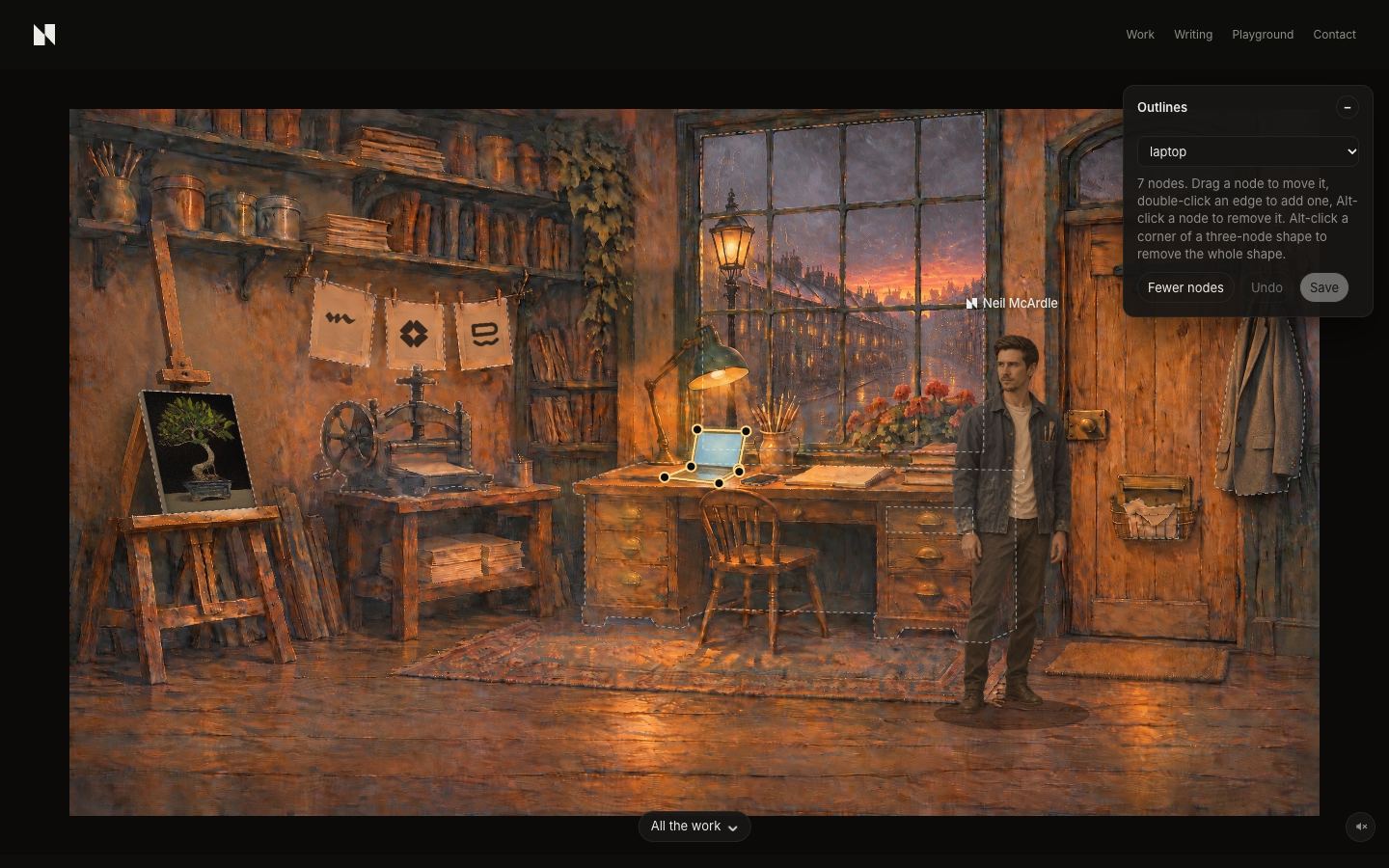
The outlines were traced automatically and some were wrong. Rather than describe every fix, I asked for an editor: drag the nodes, add and remove them, save. I then went through every object myself, and my corrected shapes became the data the game uses.
Up close 1
The trace gave me a start, not an answer
Every outline began as an automatic trace of a mask. It was faithful to pixels, not to objects: 236 points across the room, 90 on the press alone, the desk in two pieces and no coat at all. Pick an object to zoom in, and switch between the trace and my pass.
Instead of describing each fix in words. Most fixes were a few pixels, and a sentence per node would have taken longer than moving it.
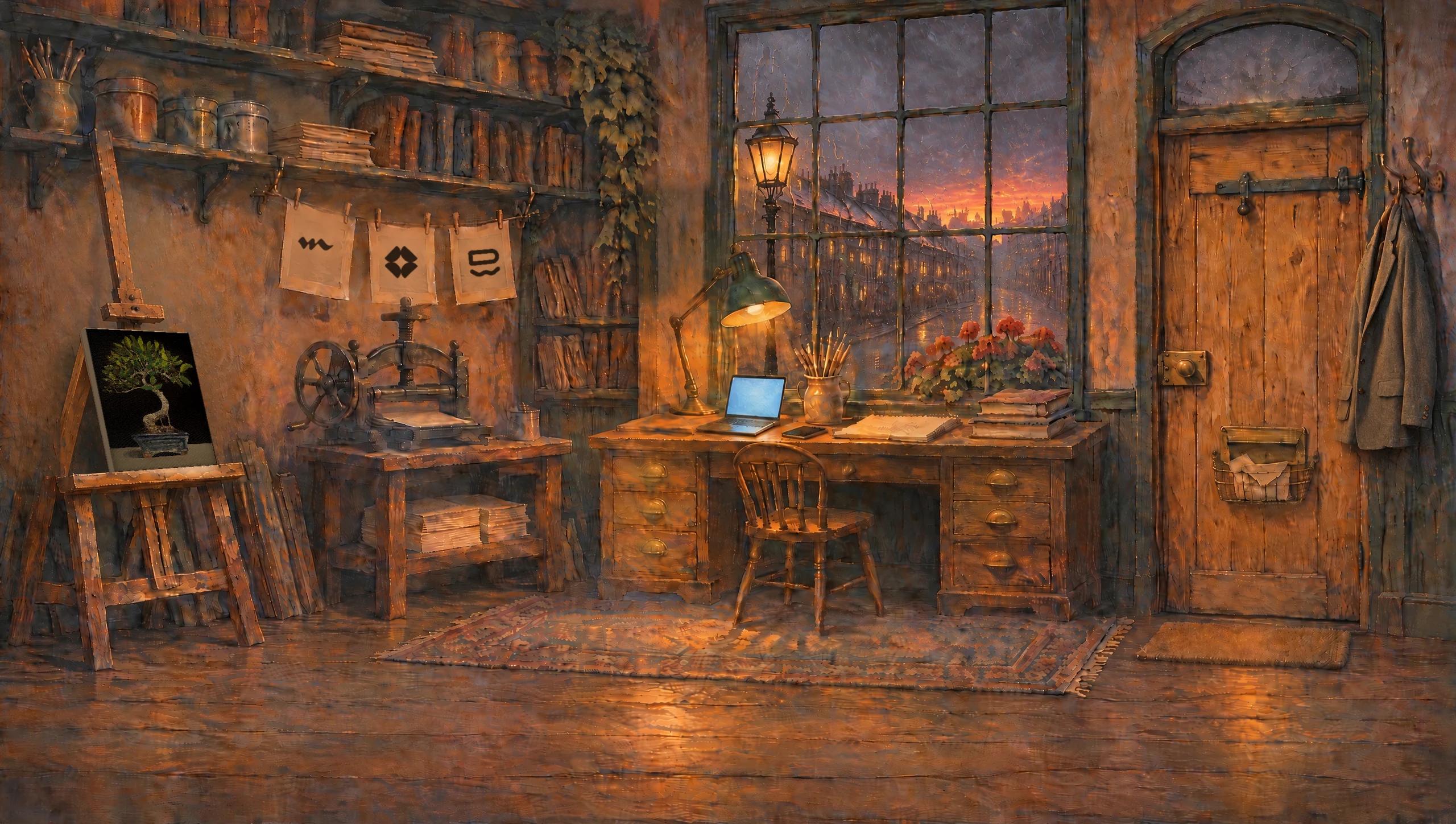
Up close 2
I drew instead of describing
In our own selection tool I dragged nodes onto the real edges, double-clicked to add them and Option-clicked to remove them. The easel went from 16 points to 5, the desk became one shape, and the coat got its first outline. When the tool got in my way, I said so in one line and it changed on the spot.
Up close 3
Save turned my drawing into data
Save writes the shapes to the site and to the game. From then on the hover outlines, the click areas and the depth sorting all use what I drew, and Claude reads that file instead of my description. The saved file is now the master copy, so the trace only runs for new objects.
- 1TraceMasks traced into 236 points. Faithful to pixels, not to objects.
- 2DrawI drag, add and remove nodes in our own editor, by eye.
- 3SaveOne file for the site, one for the game, each in its own format.
- 4ReadHover, clicks, depth and Claude all use the shapes I drew.
Decision 5
I rebuilt the drawer from the painting itself
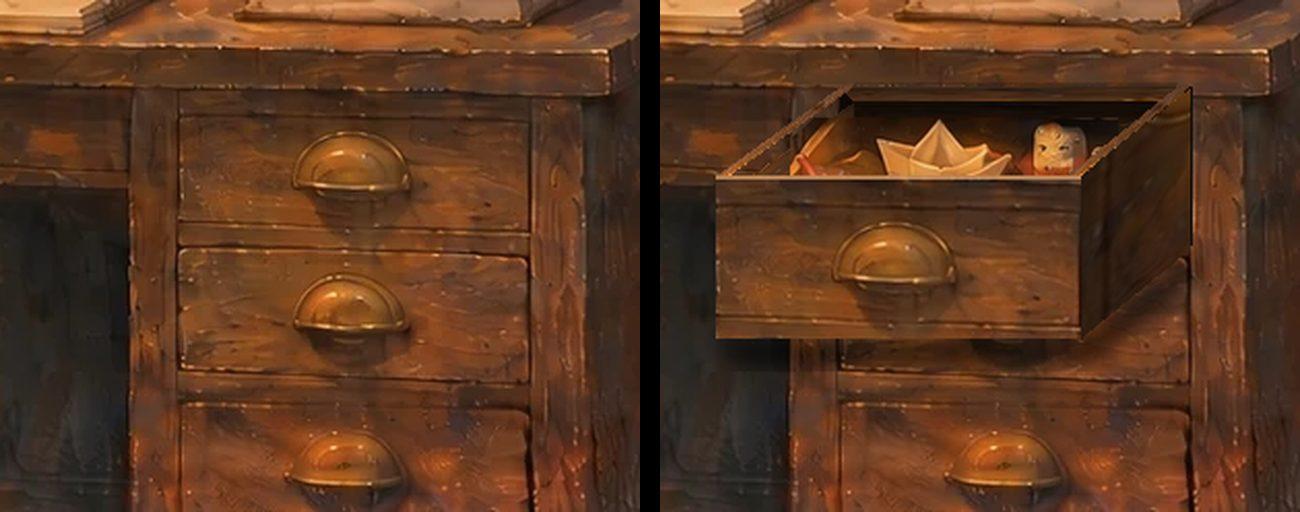
The open drawer was cut from a different repaint, so it never sat right in its slot. After two fitted versions still looked pasted on, the drawer was rebuilt from this painting's own closed front, pulled forward, with only the toys borrowed.
Decision 6
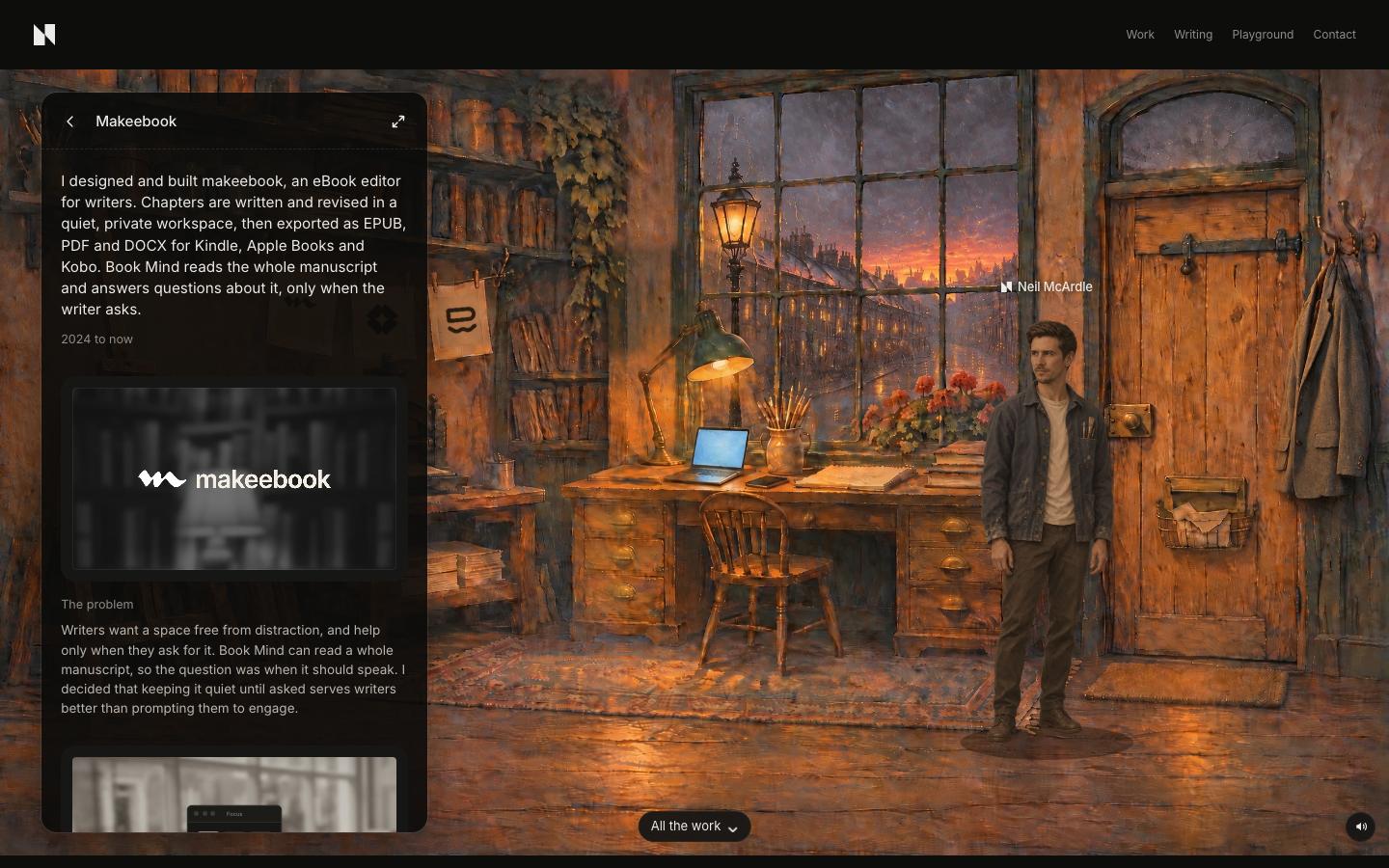
I turned the card into a profile
I modelled the card on Tom Johnson's sidebar: one sentence about me, contact links, then my experience, work, writing and playground, with a CV to download.
Decision 7
I let the work open where you are
Picking a project turns the card into that project, so the work is on screen at once. Expanding it goes full screen with a chapter index, these notes and a lightbox. The scene behind pauses while it's open.
What I led
Every change started from me looking at the running page and saying what felt wrong. Claude Code found the cause, built the fix and checked it at desktop and phone sizes. The judgement was mine each time.